
Why asking the right questions matters
For many small business owners, especially those in trades and home services, a website is more than a brochure. It’s a lead generator, a credibility builder, and sometimes the first impression a potential customer sees. Hiring the wrong web designer can cost time, money, and missed opportunities. Asking clear, focused questions helps you separate contractors who talk a good game from partners who deliver measurable results.
How to use this guide
Read these questions before you start interviewing designers. Use them as a checklist during calls or meetings. Look for answers that are specific, transparent, and aligned with your business goals. If something feels vague or evasive, that’s a red flag.
Essential questions to ask a web designer
- Can I see your portfolio and references?Review live sites and ask for local examples or businesses similar to yours. Ask for a reference you can call. Look for consistency in quality, speed, and design choices that support business goals (calls, bookings, or leads).
- What is your process from discovery to launch?A clear process should include discovery, sitemap and wireframes, design mockups, revisions, development, testing, and launch. Knowing the steps and who’s responsible helps you set realistic expectations.
- Who will own the website and content?Confirm that you will own the domain, hosting account (if purchased), and website files or CMS login. Ownership transparency prevents surprises if you change vendors later.
- Which platform or CMS do you use and why?Common platforms: WordPress (flexible, widely supported), Shopify (ecommerce), or custom solutions. For most small businesses, WordPress is practical and affordable. Ask why they chose a platform and how it impacts future updates.
- How do you handle mobile responsiveness and performance?Mobile-friendly design and fast page load times are critical for user experience and SEO. Ask for test results or examples showing speed and responsiveness on phones and tablets.
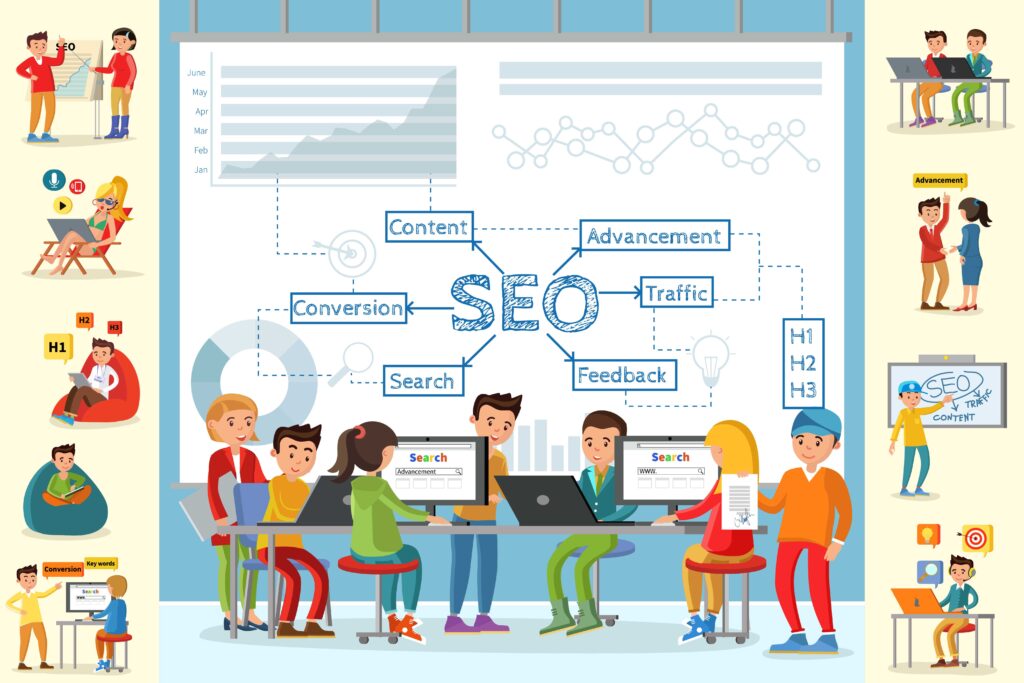
- What SEO basics do you include?Good answers will mention on-page SEO (title tags, meta descriptions), structured content, mobile optimization, and site speed. If you need local SEO, ask about Google Business Profile, local citations, and schema markup.
- How do you measure success?Designers should track metrics like form submissions, phone calls, traffic sources, bounce rate, and conversion rate. Ask for examples of how they’ve improved these metrics for past clients.
- What is the timeline and milestones?Get a realistic timeline with key milestones: discovery, design approval, development, testing, and launch. Ask what happens if there are delays and how scope changes are handled.
- How do you handle revisions and scope changes?Understand the number of included revisions and the hourly rate for extra work. A transparent revision policy prevents budget surprises.
- What are the ongoing costs and maintenance options?Ongoing costs may include hosting, SSL, backups, security updates, and content changes. Ask if they offer managed hosting or support plans and what’s included.
- Who will manage the project and communicate with me?Clear communication expectations — who your point of contact is, how often you’ll get updates, and preferred channels (phone, text, email, Zoom) — matter a lot. Look for responsiveness and a single point of contact.
Evaluating answers: what to look for
- Specificity — Clear timelines, named tools, and concrete examples demonstrate experience.
- Transparency — Upfront pricing ranges and clear contract terms build trust.
- Communication — A friendly, fast, and organized communicator will make the project smoother.
- Proof of impact — Metrics, case studies, and references show results rather than promises.
Red flags to watch for
- Vague answers about SEO, timelines, or ownership.
- Pressure to sign quickly or long-term contracts without explaining value.
- No portfolio or only demo templates instead of live client sites.
Technical terms explained
- CMS (Content Management System): Software that lets you edit website content. WordPress is the most common CMS for small businesses.
- Responsive design: A design approach that makes a website look and work well on phones, tablets, and desktops.
- On-page SEO: Optimizing content and HTML elements like title tags and meta descriptions to help search engines understand your pages.
Next steps when you’ve chosen a designer
- Get a written proposal with deliverables, timeline, cost, and payment schedule.
- Confirm ownership and access rights for domain, hosting, and CMS logins.
- Request a simple project plan with milestones and communication expectations.
How Boise WEB approaches these questions
At Boise WEB, we value transparency, effective communication, and affordability. We provide clear proposals, ownable websites, and USA-based support you can reach by call, text, email, or Zoom. Our process focuses on practical results: more calls, more leads, and a website you’re proud to show. Since 2009 we’ve helped hundreds of small businesses build websites that work—especially trades and home-service owners who need straightforward, reliable online presence.
Asking targeted questions helps you hire a web designer who delivers measurable results, clear communication, and long-term value for your small business. Contact Boise WEB to discuss your website needs and get a clear, affordable plan.