

Moving your website to a new hosting provider can improve its speed, security, and reliability. But there’s more to the process than simply transferring files. A successful move also involves protecting your business email, keeping your website accessible, and making sure customers can still find you online.
For small businesses, even a short interruption can mean missed inquiries or frustrated customers. Fortunately, with proper planning and testing, a website migration can happen with little to no disruption.
What Happens When You Move a Website?
Think of website hosting as the space your website rents on the internet. When you change hosting providers, you’re moving your website’s content, images, files, and other important information to a new server.
A few behind-the-scenes systems also need attention:
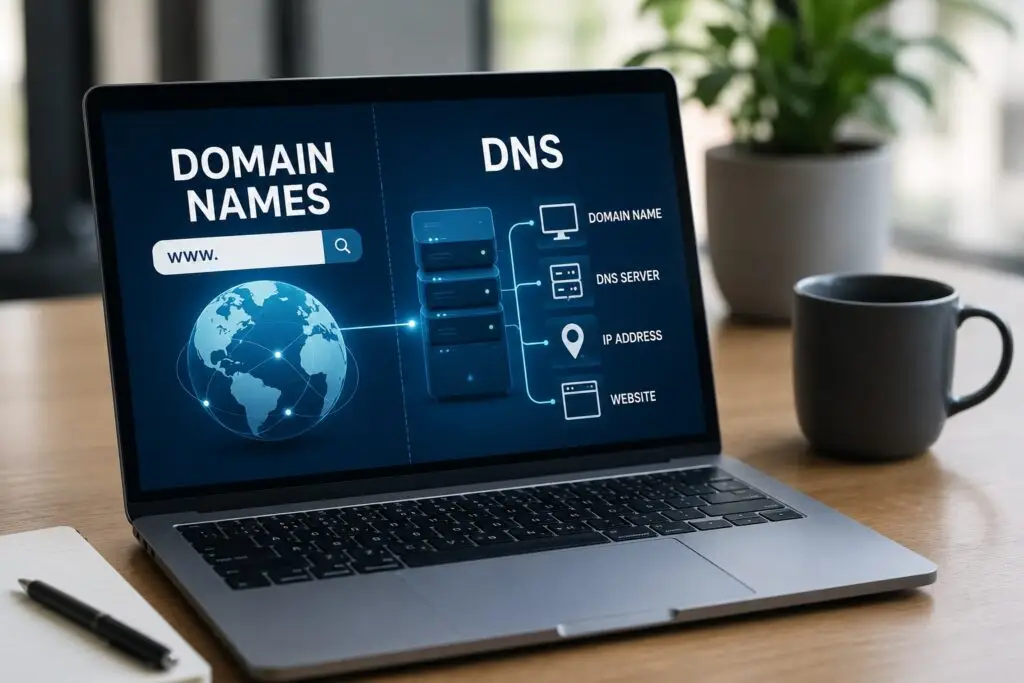
- DNS: The settings that connect your domain name to your website’s server.
- DNS propagation: The time it takes for the internet to recognize your website’s new server location, sometimes up to 48 hours.
- SSL certificate: The security feature that protects information exchanged between your website and its visitors.
- Email settings: The records that ensure business emails continue reaching the correct inboxes.
You don’t need to understand all the technical details, but it’s helpful to know what your hosting provider should be checking.
Preparing Your Website for the Move
A smooth migration starts with careful preparation. Before transferring anything, your hosting provider should review your existing website, identify any special requirements, and create a complete backup.
It’s also important to determine where your business email is hosted. Website and email hosting are separate services, even when they’re managed by the same company. Incorrect settings during a migration can interrupt email delivery, potentially causing missed customer inquiries.
Whenever possible, the move should be scheduled during a period of lower website traffic to minimize potential disruptions.
How Does the Website Migration Process Work?
Although every website is different, most migrations follow a similar process.
1. Set Up the New Hosting
The new server is configured to support your website, including its software, security settings, and other requirements.
2. Transfer Your Website
Your website’s files, images, content, and database are copied to the new hosting account. Your existing website can typically remain live while the new version is prepared.
3. Test Before Going Live
Before making the switch, the migrated website should be tested to confirm that pages, images, navigation menus, contact forms, and other features work correctly.
For businesses with online stores, payment processing and checkout functionality should also be verified.
4. Update Your Domain Settings
Once everything is ready, your domain settings are updated to direct visitors to the new server. These changes can take time to reach everyone, so the original hosting should remain active until the transition is complete.
5. Verify Everything After the Move
After the migration, your hosting provider should check the website again, confirm email delivery, and monitor for errors or performance issues.
Common Website Migration Problems
Even a relatively simple website migration can cause problems if important details are overlooked.
Website downtime: Visitors may encounter errors if the new server isn’t properly configured before the switch. Preparing and testing the website in advance helps reduce this risk.
Email interruptions: Incorrect email settings can prevent messages from reaching your inbox. Email accounts, contact forms, and delivery settings should all be checked.
Broken pages or missing images: Files, plugins, or settings may not transfer correctly. Thorough testing helps identify these issues before customers encounter them.
SEO problems: Changing hosts doesn’t automatically hurt Google rankings, but missing pages, incorrect redirects, or other technical errors can affect search visibility. Preserving existing URLs and monitoring Google Search Console can help prevent problems.
How Long Does a Website Migration Take?
The timeline depends on your website’s size and complexity. A small business website may be transferred and tested within a few hours, while larger WordPress websites, online stores, or sites with multiple integrations may require more time.
Keep in mind that migration time doesn’t necessarily mean website downtime. Much of the work can often be completed while your original website remains available. Before the move, ask your hosting provider whether migration assistance is included, how email will be handled, and what support is available if something goes wrong.
Make Your Website Migration a Smooth Transition
Changing hosting providers can be a smart move if you’re looking for better performance, stronger security, or more dependable support. The key is making sure your website, email, and important features are protected throughout the process.
You don’t need to be a technical expert. You just need a hosting provider who understands the details and communicates clearly along the way.
Need Help Moving Your Website?
Since 2009, Boise WEB has helped small businesses in Boise, the Treasure Valley, and more establish and maintain a professional online presence. We offer WordPress hosting, website migrations, and ongoing website support to help keep your business running smoothly.
Contact Boise WEB today to discuss your website migration and find a hosting solution that fits your business.