Running a website goes well beyond the initial design and launch. Hosting and maintenance are continuous services that keep a site available, secure, and fast. For small businesses, especially trades and home services, reliable hosting and routine maintenance protect your online reputation and convert visitors into customers. Below is a clear breakdown of what happens behind the scenes, what technical terms mean, and why each task matters.
Common Terms Defined
- CDN: A Content Delivery Network that caches content across global servers to speed up load times.
- SSL: Secure Sockets Layer, a certificate that encrypts data between the visitor and your site.
- Uptime: The percentage of time a site is available. Higher uptime is better.
- Patch: A software update that fixes bugs or security issues.
- Staging: A test version of a site where updates are validated before going live.
1. Server Management and Hosting Types
Every website lives on a server. Hosting providers offer a range of environments: shared hosting, virtual private servers (VPS), and dedicated servers, plus managed WordPress hosting and cloud solutions. Shared hosting is cost-effective but can experience performance issues when other websites on the same server consume excessive resources; VPS and dedicated hosting offer more resources and control. Managed hosting includes expert maintenance tasks like automatic updates, security hardening, and backups.
2. Software and Security Updates
Software maintenance includes updating the server operating system, web server software (like Apache or Nginx), and application-level components such as WordPress core, themes, and plugins. Updates patch security vulnerabilities and improve compatibility. Security scans and intrusion detection monitor for malware and suspicious activity. SSL certificates are renewed to keep encrypted connections intact and avoid browser warnings.
3. Backups and Disaster Recovery
Automated backups are essential. Good hosting setups keep regular backups of site files and databases, stored off-site or in a separate partition. Recovery plans define how quickly a site can be restored after data loss, hacking, or a failed update. Versioned backups let you roll back to a known-good state if a plugin update breaks the site.
4. Performance Optimization
Fast sites rank better and convert more visitors. Maintenance tasks include optimizing images, caching pages, configuring a content delivery network (CDN), and tuning database queries. Monitoring page load times and server response time helps identify bottlenecks. Tasks like minifying CSS and JavaScript and enabling gzip compression also reduce bandwidth and speed up delivery.
5. Monitoring, Logging, and Uptime
Uptime monitoring services check your site at regular intervals and alert the team if the site goes down. Server logs provide actionable information about errors and traffic spikes. Proactive monitoring catches issues before customers notice, and escalation procedures ensure quick fixes during outages.
6. DNS and Domain Management
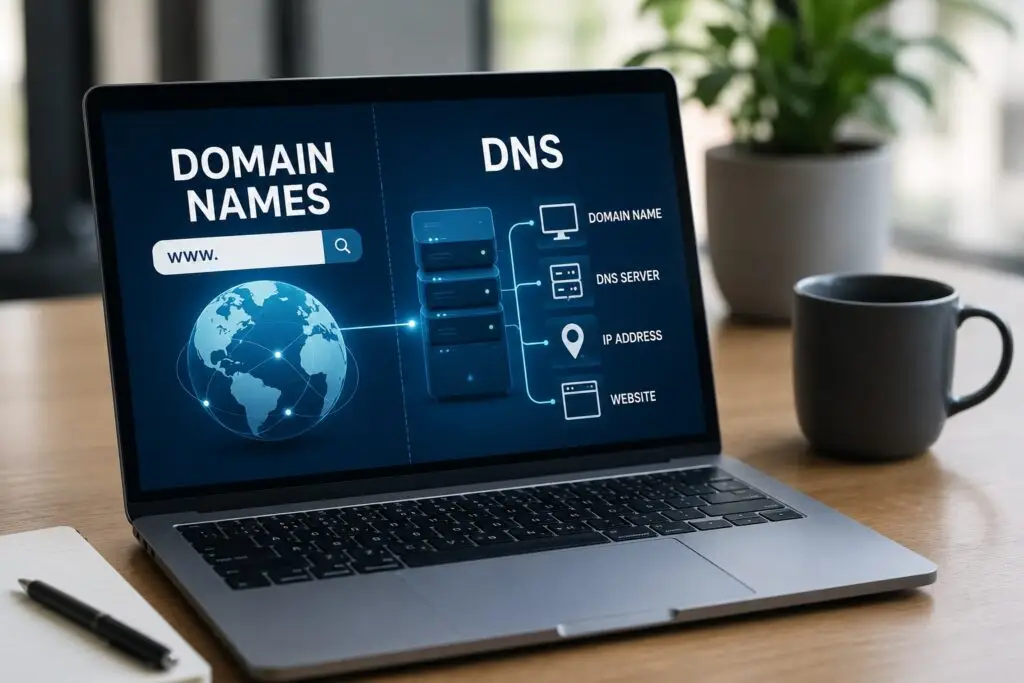
DNS controls how visitors find your website. Maintenance includes renewing domains, updating DNS records when migrating hosts, and configuring email records (MX) and SPF/DKIM for deliverability. Small errors in DNS can render a site or email unusable, so routine audits are important.
7. Database and File Maintenance
Most content-driven sites use a database. Maintenance tasks include optimizing database tables, cleaning orphaned data, and ensuring backups include both files and databases. File hygiene removes unused media and reduces storage costs.
8. Staging Environments and Version Control
Staging sites allow testing of updates and new features before pushing changes to production. Version control systems track code changes and make rollbacks safe and predictable. A professional workflow separates development, testing, and live environments to reduce downtime and mistakes.
9. Regular Content and SEO Care
Maintenance is not just technical. Keeping content fresh, updating local business information, and maintaining on-page SEO signals matter for search visibility. Routine checks for broken links, schema markup, and mobile usability keep the site healthy for visitors and search engines.
10. Support and Communication
Managed plans include technical support: troubleshooting, small content edits, and training. Clear communication, transparent reporting, and scheduled maintenance windows help business owners understand what’s being done and when. At Boise WEB we believe in transparent, prompt communication so you always know the status of your site.
For small business owners, hosting and maintenance are investments in reliability, security, and performance. Instead of thinking of them as hidden costs, consider them essential services that protect your brand, keep customer trust, and support your marketing efforts. Whether you choose a basic hosting plan or a fully managed service, prioritize regular backups, security practices, performance monitoring, and clear communication from your provider.
Conclusion
Website hosting and maintenance involve multiple coordinated tasks—server care, security updates, backups, performance tuning, and proactive monitoring. These ongoing services keep your site fast, secure, and available so your business can rely on its online presence.
If you want dependable hosting and proactive maintenance with clear communication and no long-term contracts, contact Boise WEB. We offer managed WordPress hosting, Hosting Plus with hands-on monthly support, and local expertise to help small businesses across Boise, Idaho, and more. Get in touch to discuss a plan that fits your business needs.